

この記事は3年以上前に書かれた記事で内容が古い可能性があります
JSON-to-Goを使ってGoでjsonを扱う話(TOML-to-Goも)
JSON-to-Goを使ってGoでjsonを扱う話。
Open Weather Mapを使って、取得したjson形式の情報をGoで扱う。
https://openweathermap.org
Open Weather MapのAPI叩くためにアカウント登録
まずは、こちらからOpen Weather Mapのアカウント登録をして、App IDを入手する。
https://openweathermap.org/appid
登録画面への遷移。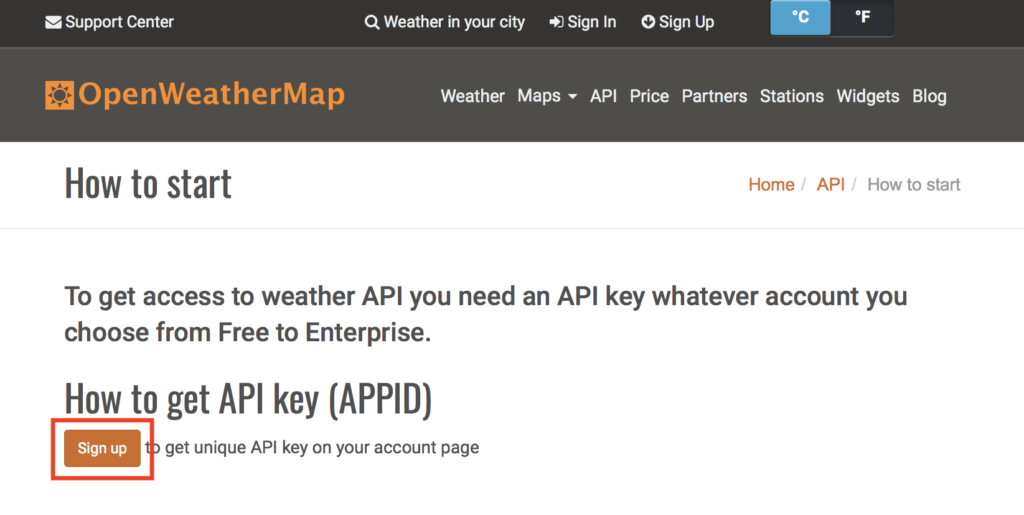
App IDの入手。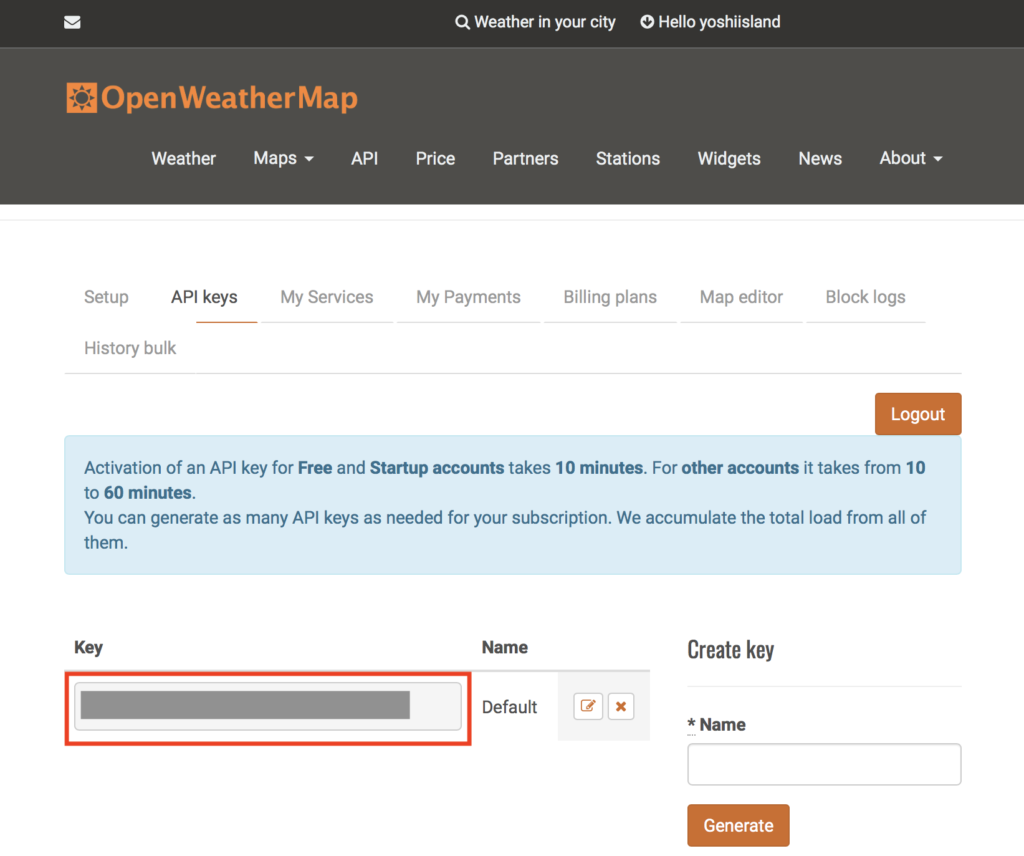
tomlのダウンロード
こちらよりtomlをgoで読み込むためのパッケージをダウンロードしておく。
https://github.com/BurntSushi/toml
今回はApp IDの情報は外出しでtomlファイルに書いておいて、呼び出す動きにする。
コード作成
ディレクトリ構造は以下の通り。
% tree
.
├── json-test.go
└── password.cfg

0 directories, 2 files
password.cfgには、入手したApp IDの情報を記載しておく。
% cat password.cfg
appid = "<入手したApp ID>"
メインのコード全体は以下。
% cat json-test.go
package main

import (
  "net/http"
  "io/ioutil"
  "fmt"
  "toml"
//  "crypto/tls"
  "encoding/json"
)


// ======================
// get app id from toml file
// ======================
var config_file = "./password.cfg"

type Tomlconfig struct {
  Appid string `toml:"appid"`
}

func setConfig() string {
  var tomlconfig Tomlconfig
  if _, err := toml.DecodeFile(config_file, &tomlconfig); err != nil {
      fmt.Println(err)
  }
  appid := tomlconfig.Appid

  return appid
}


// ======================
// define json struct
// ======================
type jsonStruct struct {
	Coord struct {
		Lon float64 `json:"lon"`
		Lat float64 `json:"lat"`
	} `json:"coord"`
	Weather []struct {
		ID          int    `json:"id"`
		Main        string `json:"main"`
		Description string `json:"description"`
		Icon        string `json:"icon"`
	} `json:"weather"`
	Base string `json:"base"`
	Main struct {
		Temp     float64 `json:"temp"`
		Pressure int     `json:"pressure"`
		Humidity int     `json:"humidity"`
		TempMin  float64 `json:"temp_min"`
		TempMax  float64 `json:"temp_max"`
	} `json:"main"`
	Visibility int `json:"visibility"`
	Wind       struct {
		Speed float64 `json:"speed"`
		Deg   int     `json:"deg"`
	} `json:"wind"`
	Clouds struct {
		All int `json:"all"`
	} `json:"clouds"`
	Dt  int `json:"dt"`
	Sys struct {
		Type    int     `json:"type"`
		ID      int     `json:"id"`
		Message float64 `json:"message"`
		Country string  `json:"country"`
		Sunrise int     `json:"sunrise"`
		Sunset  int     `json:"sunset"`
	} `json:"sys"`
	ID   int    `json:"id"`
	Name string `json:"name"`
	Cod  int    `json:"cod"`
}


// ======================
// execution (get weather info in Tokyo,jp)
// ======================
func main() {
  appid := setConfig()
//  http.DefaultTransport.(*http.Transport).TLSClientConfig = &tls.Config{InsecureSkipVerify: true}
  url :=fmt.Sprintf("http://api.openweathermap.org/data/2.5/weather?q=Tokyo,jp&APPID=%s", appid)

  req, _ := http.NewRequest("POST", url, nil)
//  req.Header.Set("Accept", "application/json")

  client := new(http.Client)
  resp, err := client.Do(req)

  if err != nil {
    fmt.Println(err)
  }

  defer resp.Body.Close()

  byteArray, _ := ioutil.ReadAll(resp.Body)
//  fmt.Printf(string(byteArray))

  jsonstruct := new(jsonStruct)

  if err := json.Unmarshal(byteArray, jsonstruct); err != nil {
    fmt.Println("JSON Unmarshal error:", err)
 }

  fmt.Println(jsonstruct.Weather[0].Main)

}
ポイントは、以下のjson構造をstructにて定義しているところ。
// ======================
// define json struct
// ======================
type jsonStruct struct {
...
...
}
jsonの構造が複雑になればなるほど、一から、これを書くのは厳しいので、JSON-to-Go というツールを使う。
https://mholt.github.io/json-to-go/
返ってきたjsonデータをコピペするだけで、Structを生成してくれる。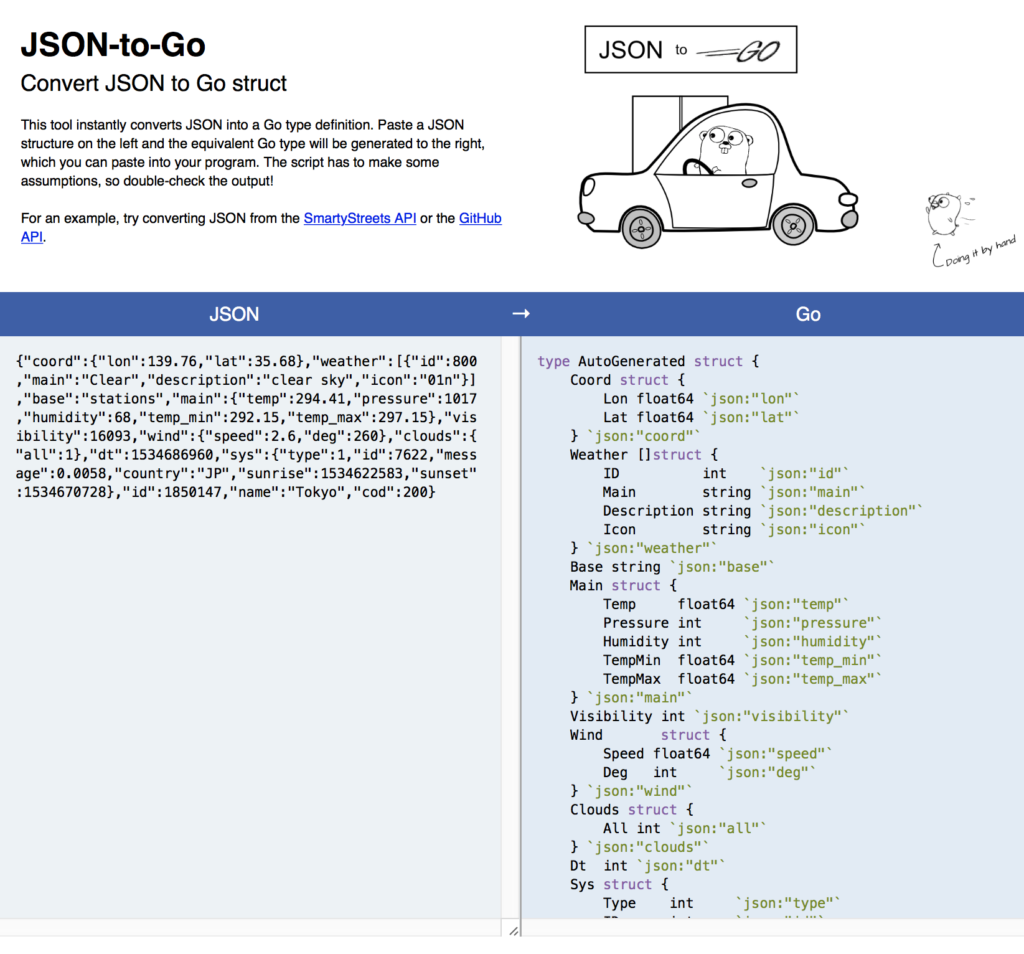
実行
あとは、実行すると、特定の値をとってきたりできる。
今回は、Weather配下のMain(天気情報)を取得した。
% go run json-test.go
Clouds
同様に、TOML-to-Goというツールもあるので便利。
https://xuri.me/toml-to-go/